

The View Above Individual Calls.
The Drill-Down Into Them.
Business Analytics surfaces the patterns your individual call reviews can't show you — score trends, performance distribution, quality outliers, and churn signals — and then lets you click through to the specific calls driving every number.
Every Metric Drills Down
Click any card, chart, or data point to see the individual calls that make up that number. Business Analytics is a starting point for investigation, not a reporting dead-end.
Score Trends Over Time
Weekly and monthly score trend lines across agents and rubric types. Spot a quality dip before it shows up in customer satisfaction surveys or escalation rates.
Performance Distribution
How are quality scores distributed across your team? The distribution chart surfaces whether a few low performers are dragging the average, or whether the problem is team-wide.
Handle-Time Outliers
Calls that took more than twice an agent's typical handle time are flagged automatically. Each row links to the call so you can find out whether it was a complex issue, a coaching opportunity, or something else.
Call Volume Health
Track total call volume, inbound vs. outbound mix, and call type breakdowns over time. Understand whether changes in score trends are driven by volume shifts or genuine quality changes.
Rubric Benchmark Tracking
Compare average scores across rubric categories over time. Identify which specific rubric criteria are improving, declining, or stagnating — and focus coaching where the data points.
Also Inside Business Insights
Business Analytics is one section of the broader Business Insights menu, which also includes:
Workload metrics, utilization heatmaps, and burnout risk signals for every agent — now in its own dedicated dashboard. See who is over-capacity before quality suffers.
Close rates, MRR by week, sales by agent, objection reasons, and service mix — extracted automatically from sales call transcripts.
At-risk customers identified from call signals — price complaints, dissatisfaction, competitor mentions — aggregated and prioritized for your retention team.
Positive vs. negative call mix over time, sentiment by agent, sentiment by call type, and the worst-sentiment calls for direct review.
Every competitor mention on a call — who, in what context, on which call — plus optional side-by-side pricing snapshots for configured competitors.
Who Uses Business Analytics
Open the weekly trend view every Monday. Track whether team scores are moving in the right direction without requesting reports from managers.
Monitor performance distribution and score trends across the team. Use the drill-down to understand whether quality shifts are systemic or agent-specific.
Drill from any metric card into the calls driving a score dip. Build coaching priorities from handle-time outliers and performance distribution data.
What Business Analytics Looks Like
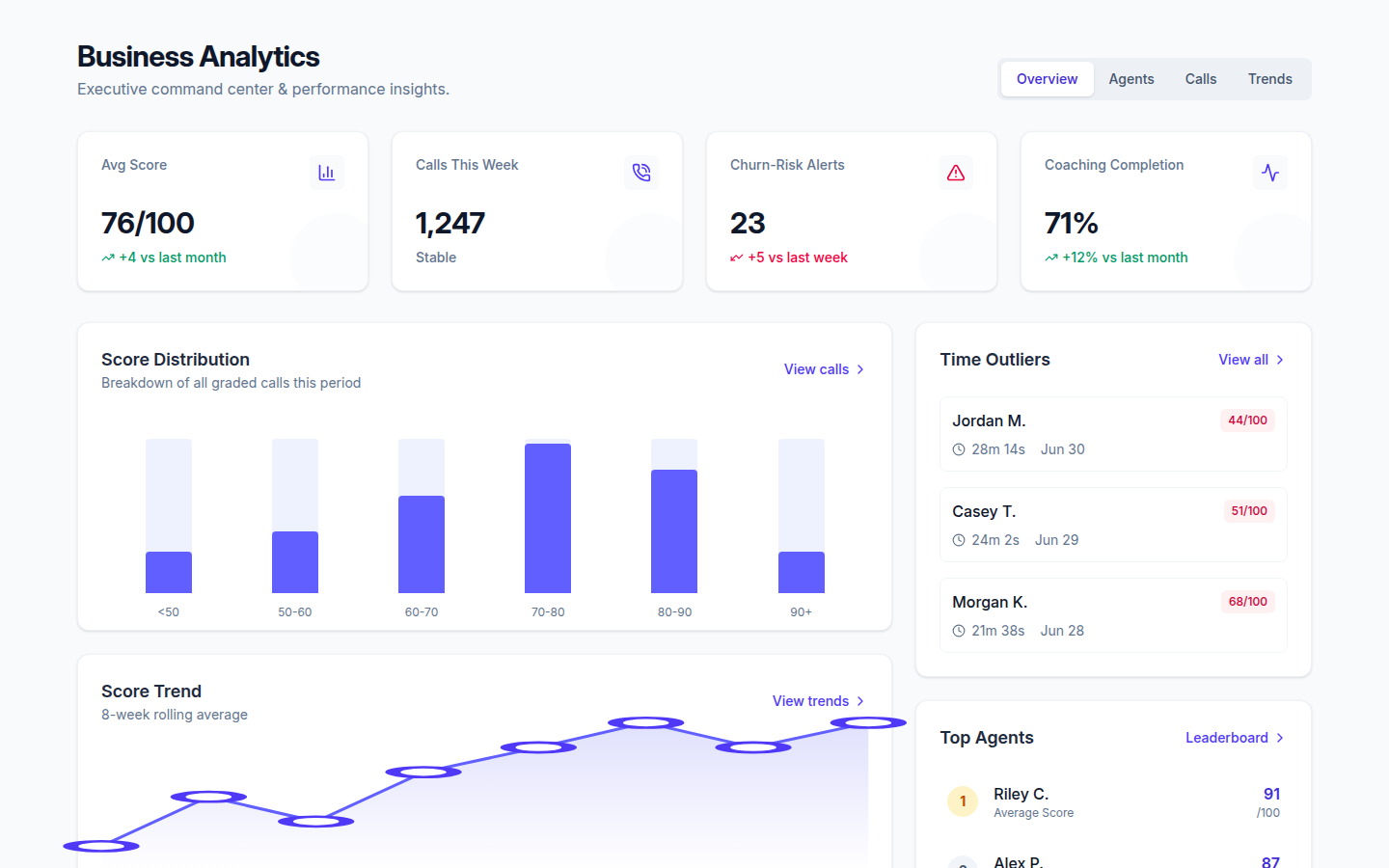
Analytics That Explain Themselves
Every number in Business Analytics links back to the calls that produced it. Book a demo and we'll show you what your team's data actually looks like.
Request a DemoNo commitment. Available to managers and admins.