

Bring Your Own Data.
Chart It in Seconds.
Not every number lives in a call record. Upload any CSV, clean it up, chart it, and — if you want — correlate it directly against your call data by agent or by date. No engineering ticket, no waiting on a data team.
Drag-and-Drop CSV Upload
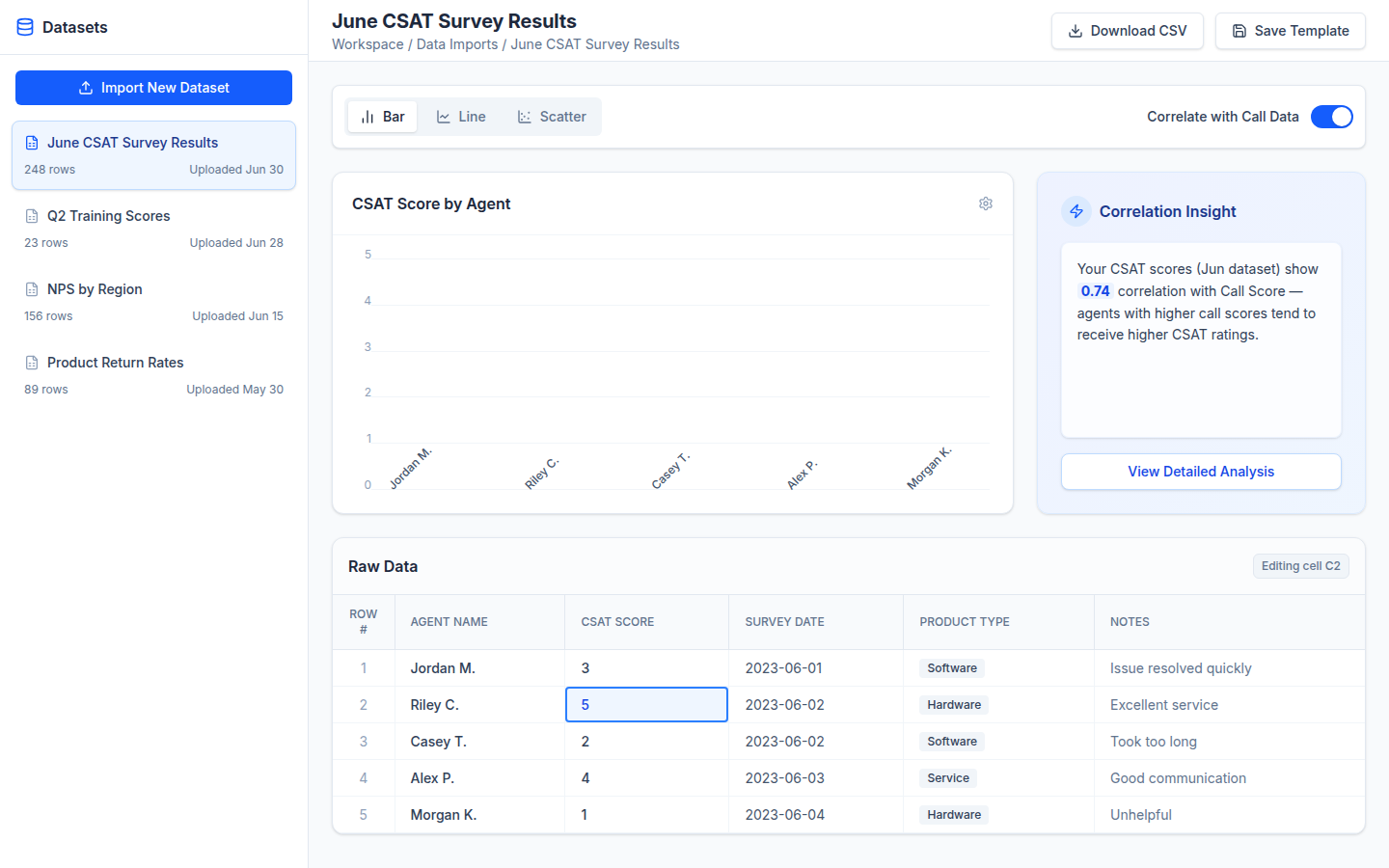
Upload any CSV — headcount plans, CRM exports, marketing spend, whatever you track outside Call Coach IQ. Column types (number, date, category, text) are inferred automatically and can be overridden with one click.
Edit In Place
Rename columns, fix a typo, or override an inferred type directly in the preview table before saving — no need to re-export a clean version of the file first.
Instant Chart Preview
Pick any two columns and Call Coach IQ renders a bar, line, scatter, or pie chart on the spot — a fast way to sanity-check a dataset before sharing it.
Correlate With Call Data
Explicitly opt in to join an uploaded column against agent- or date-level call metrics — for example, comparing a CRM close-rate column with call scores by agent. Correlation never runs automatically.
Reusable Templates
Save a column-rename and type-override configuration as a template. The next time a file with matching headers is uploaded, the template applies automatically.
Guardrails Built In
Uploads are capped in file size, row count, column count, and per-cell length, with clear errors instead of silent truncation — and every write goes through a rate-limited, role-checked callable.
How It Fits with the Rest of Call Coach IQ
Custom Data Import stays fully separate from call data unless you explicitly connect it:
Once correlated, a custom metric can be viewed side-by-side with agent performance trends already surfaced on the Business Analytics dashboard.
Uploaded datasets are yours to chart and export directly — no need to route a plain-language question through the AI search layer just to see a number.
Both features put self-service data access in the hands of admins and managers — Custom Query Builder for call records, Custom Data Import for everything else.
Who Uses Custom Data Import
Upload company-wide datasets — headcount, CRM exports, marketing spend — and build reusable templates so future uploads apply the same cleanup automatically.
Bring in a team-specific spreadsheet, chart it instantly, and correlate it against agent-level call scores to spot a pattern worth investigating.
What Custom Data Import Looks Like
Stop Waiting on a Custom Report
Book a demo and we'll show you how to upload your own data, chart it instantly, and correlate it against your real call metrics.
Request a DemoNo commitment. Available to admins and managers.